

Tiny Desk AI Free: Your First AI Video Costs Nothing
Lead vocals
Required
Sax
Not in Lite
Keys
Not in Lite
Backing left
Not in Lite
Backing right
Not in Lite
Tap a face to upload the person who replaces them. Spots you leave empty keep the original performer.
A failed render costs you nothing.

Add a photo, pick a length, then press Generate.
What the free close-up looks like
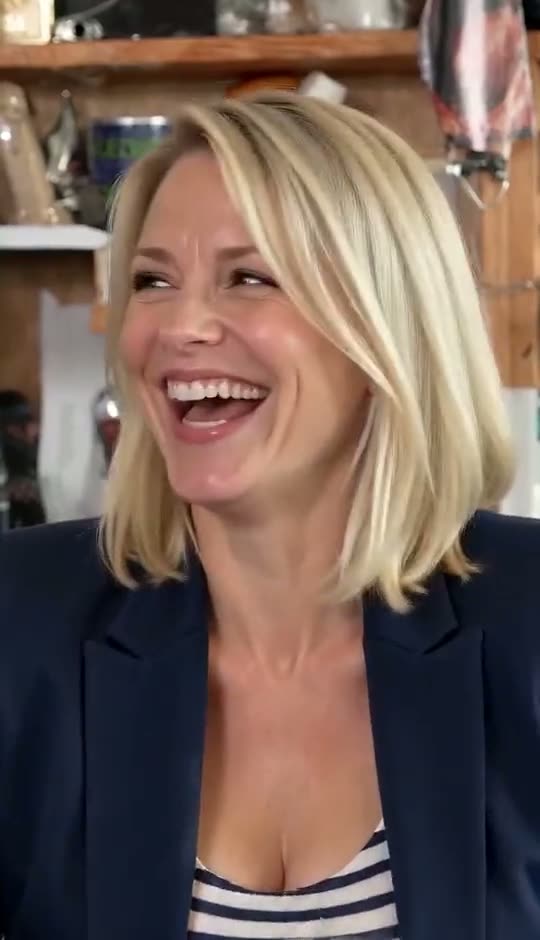
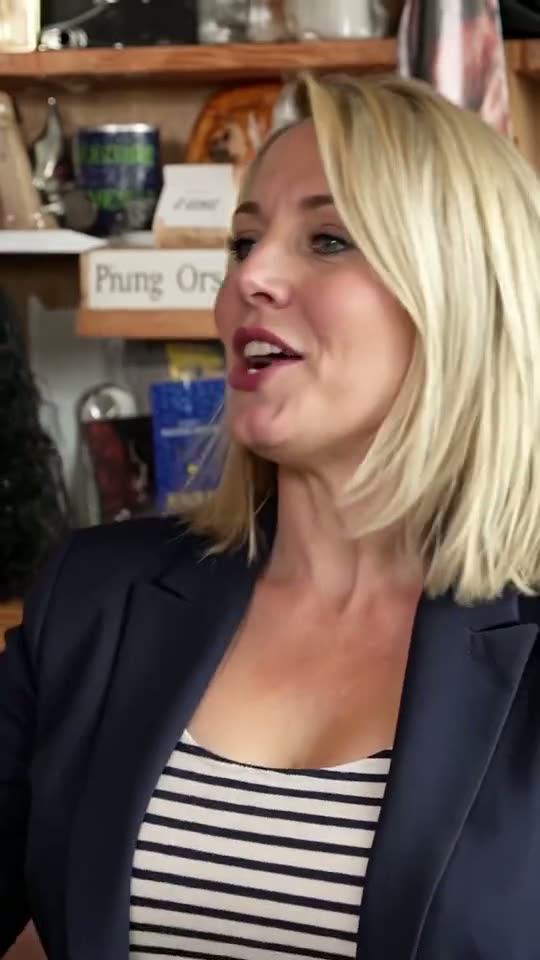
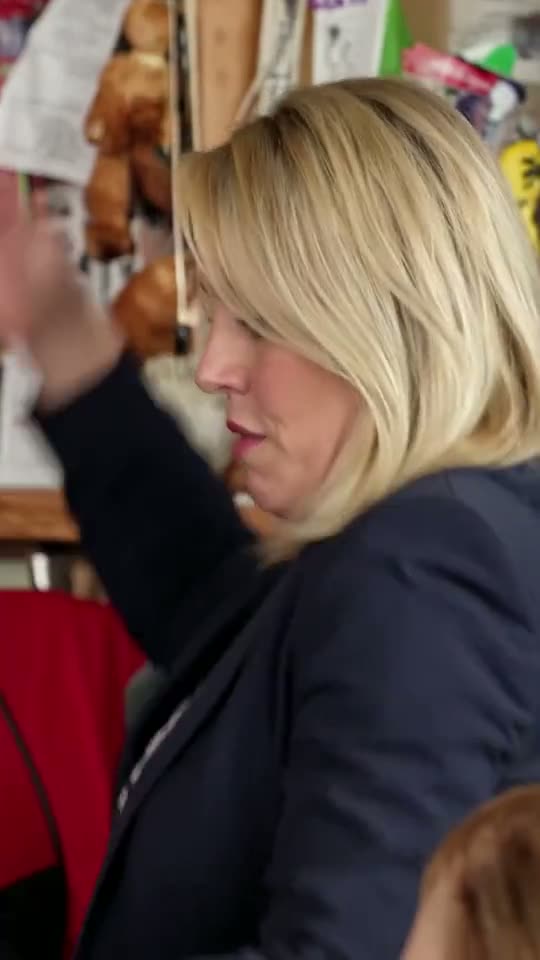
The first card is a Lite render, the kind the sign-up credits pay for. The other two show the same moment from paid 720p renders, one from the very same photo.
Lite, the free one
4 s at 480p, lead only

Same photo, Full
The laugh from a 19 s render at 720p
Standard close-up
The laugh from a 10 s render at 720p

Is tiny desk AI free? What 20 credits buy
Tiny desk AI free here means a one-time gift of 20 credits when you open an account, and a Lite video costs exactly 20. It goes through the same tiny desk AI generator as every paid render, so the steps, the clip and the sound are the ones you would otherwise pay for.
- Four seconds, the punchlineLite is the close-up alone: the singer turns to the lens, sings "Outstanding" and laughs, the moment everyone remembers from the clip.
- Lead vocals onlyLite takes one photo, for the lead. Everyone else stays as the original musician; recasting sax, keys or backing singers needs Standard or Full.
- 480p instead of 720pThe free render is 480p, the paid versions 720p. The gap shows most when the video plays full-screen on a large display.
- Same sound, same formatThe free clip keeps the band's own audio and arrives as a vertical 9:16 MP4 for TikTok, Reels or Shorts. No app, no prompt.
What tiny desk AI free credits do not cover
Once the 20 credits are spent, or as soon as you want more than one face, a video is paid with credits from a plan or a pack. The shots these longer versions add are broken down on the Outstanding Tiny Desk page.
Full: all 19 seconds
The viral clip from start to finish: the opening profile, the band, the close-up, the sax solo and the band again, with up to five people at 720p. It costs 200 credits.
Standard: 10 seconds
The end of the band shot, the whole laughing close-up and the start of the sax solo, with no jump in the music. Up to five people at 720p for 100 credits.
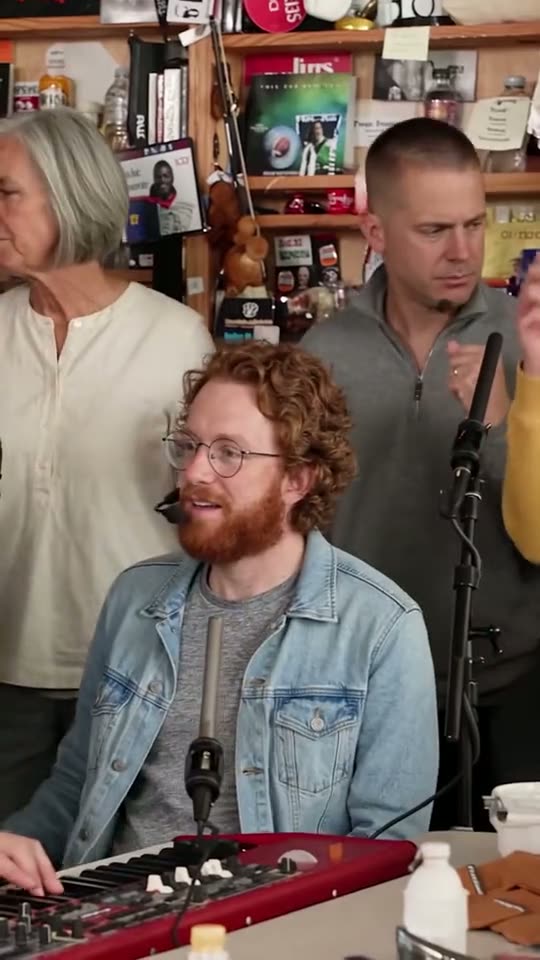
Your friends in the band
Sax, keys and both backing singers take one photo each and change only in Standard or Full. The keyboard player even returns in a corner of the sax solo with the same new face.
Getting the most from your free tiny desk video
Each account gets one free render, so choose the photo with care. The complete walkthrough is in the guide on how to make tiny desk AI video.
1. Pick who sings lead
The free clip has one face, so give it to someone your followers will recognise at once: an adult who agreed to it, never a child, celebrity, coach or other public figure.
2. Use a close, clear photo
Lite is all close-up. A sharp head-and-shoulders shot, front-on, in even light, without sunglasses or a heavy filter, gives the AI the most detail.
3. Post it with the AI label
Download the MP4 and switch on the AI-generated label TikTok, Instagram or YouTube offers on upload.
What outstanding tiny desk AI free tools often leave out
Plenty of apps advertise a free version. These limits are common across free tiers, so check for them before uploading a photo anywhere.
A preview, not the file
Free tiers often cap length or resolution, or lock the download, so you get a sample of the clip.
Waiting in line
Free jobs commonly queue behind paying ones, longest while a trend peaks.
Tries that count when they fail
Many tools cap free attempts and count failed ones. Here a failed or filtered render returns its credits.
No clip and no sound
General face-swap apps expect you to find the trend video yourself and add the band's audio afterwards.
Templates you still finish yourself
CapCut-style templates may be free to open, but the result depends on whoever built them. The tiny desk AI template page compares that route with this one.
Trials that turn into plans
Some free trials become a subscription unless you cancel in time. Check whether a card is requested and when it is charged.
Tiny desk AI free vs the cheapest paid options
Four ways to a video, from no cost to the whole band. Yearly plans, the larger pack and the credits each version uses are listed on Tinydesk AI pricing.
| Free creditson sign-up | Small packone-off | Startermonthly plan | Promonthly plan | |
|---|---|---|---|---|
| Price | $0 | $4.99 once | $9.99 a month | $24.99 a month |
| Credits | 20, once | 35 | 100 a month | 300 a month |
| Pays for | One Lite | One Lite, 15 left | One Standard | One Full and one Standard |
| Longest cut | 4 s close-up | 4 s close-up | 10 s | All 19 s |
| People in it | Lead only | Lead only | Up to 5 | Up to 5 |
| Resolution | 480p | 480p | 720p | 720p |
| Failed render | Never charged | Never charged | Never charged | Never charged |
Free credits, packs and plans: questions
Is tiny desk AI free?
Partly. A new account receives 20 credits once, which pays for one Lite video: 4 seconds of the close-up at 480p with your lead-vocals photo. Standard and Full, the versions with room for friends, use credits from a plan or a pack. The free clip is a complete render, not a trimmed preview.
Can I make outstanding tiny desk AI free without an account?
No. The free credits are added to a new account, so signing up comes first. The same account holds any credits you buy later and is where credits return when a render fails or is filtered, so an attempt that never finishes costs nothing.
Can my friends be in the free video?
No. Lite, the only version the free credits cover, changes the lead singer alone. Sax, keys and both backing singers can be recast in Standard or Full. The cheaper of the two, Standard, costs 100 credits, which is what the Starter monthly plan adds each month for $9.99.
What if I don't like my free clip?
A finished video uses its credits even if you wanted another take, so check the photo before pressing Generate. A render that fails or is filtered costs nothing: the 20 credits go back to your balance for another try with a sharper picture.
Is the $4.99 pack enough for a longer video?
No. The $4.99 pack holds 35 credits: one more Lite clip with 15 left over, well short of the 100 a Standard video needs. For a 10-second video with friends, the Starter monthly plan at $9.99 is the cheapest route.
What is the cheapest way to the full 19-second clip?
Full costs 200 credits. The Pro monthly plan at $24.99 gives 300, enough for one Full video plus one Standard. The $49.99 pack gives 350 without a subscription. Yearly plans hand over all their credits at once, starting with Starter: 1,500 credits for $89.99, enough for seven Full videos.
Is this tiny desk AI free offer from NPR?
No. Tinydesk AI is an independent fan-made tool, not affiliated with NPR, Tiny Desk Concerts, Charlie Wilson or The Gap Band. The 20 sign-up credits are this site's own offer, spent on a short stretch of the viral clip with your face on the lead.
Spend your tiny desk AI free credits on the laugh
Your free tiny desk video needs one sharp photo of the lead singer. Bring in friends whenever you want the whole band.